

Building the Arbel Theme: How I Build a 100-Score WordPress Theme; a High-Performance WordPress Theme in One Week Using Agentic AI
Speed, Standards, and AI: Building a High-Performance WordPress Theme in Just 7 Days
The landscape of web development is shifting at a breakneck pace. We’ve all felt it—the feeling that if we don’t adapt, we’ll be left behind. There’s a lot of talk about AI replacing programmers, but the reality is more nuanced: programmers won’t be replaced by AI; they’ll be replaced by those who embrace Agentic AI.
Recently, I set out to prove how efficient a modern workflow can be by designing and developing the Arbel WordPress Theme from scratch in exactly one week. The goal wasn’t just to finish quickly, but to build something that meets strict marketplace standards and delivers elite performance.
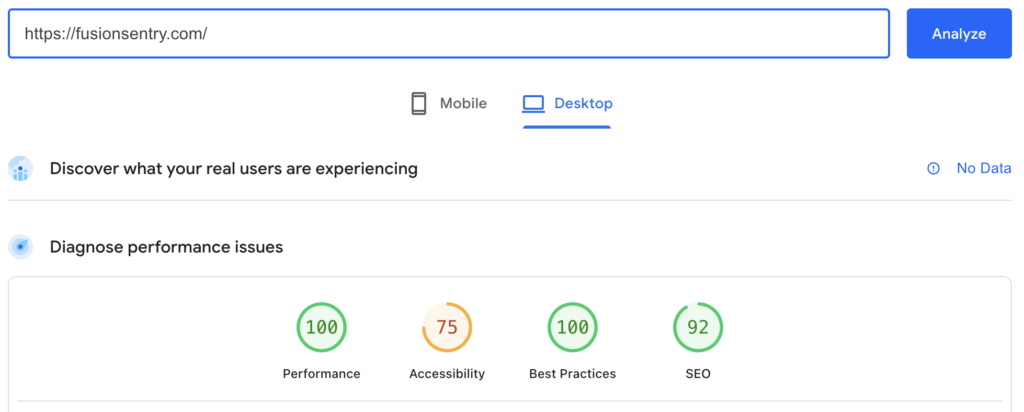
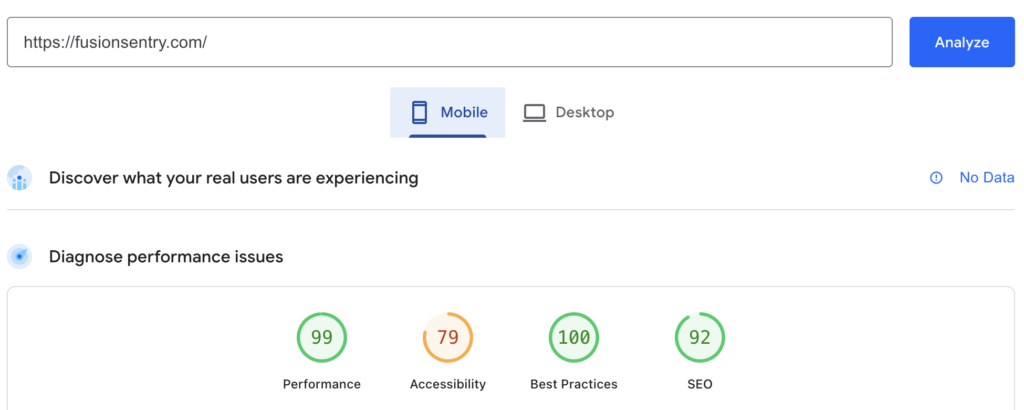
The result? A theme that is lightning-fast, achieving a 99 performance score on Mobile and a perfect 100 on Web according to Google PageSpeed Insights.
The Performance Benchmark
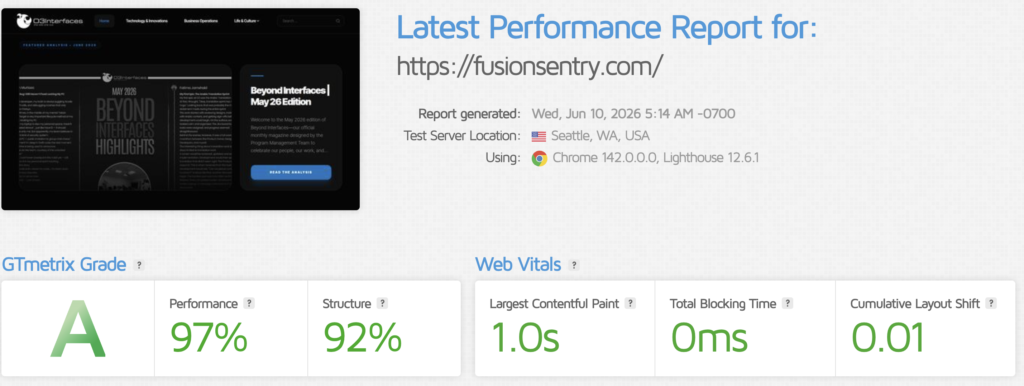
Before diving into the “how,” let’s look at the “what.” Using the live demo at fusionsentry.com, the benchmarks speak for themselves:
- Desktop: 100 Performance | 100 Best Practices | 92 SEO
- Mobile: 99 Performance | 100 Best Practices | 92 SEO
Achieving these numbers isn’t about luck; it’s about a disciplined approach to code and a lean architecture.
Step 1: Designing Without a Designer
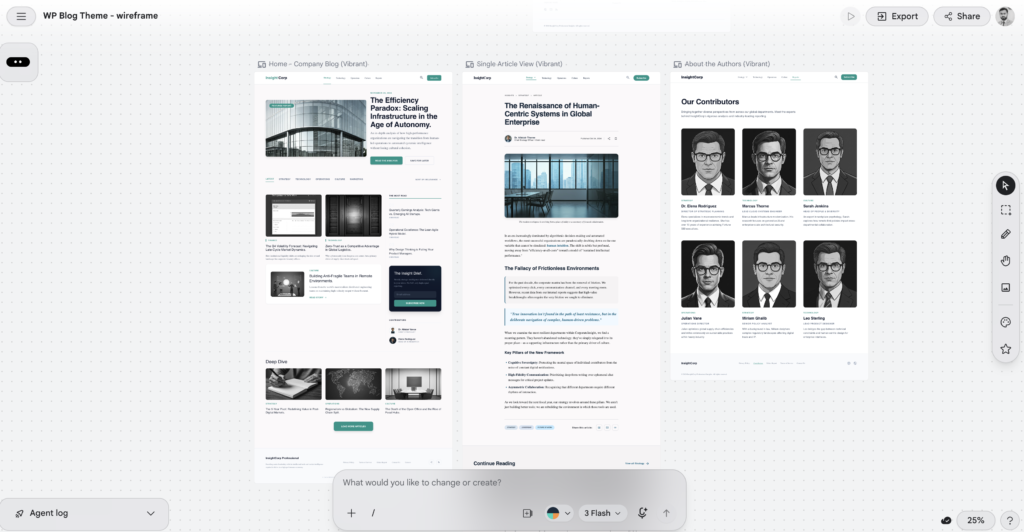
One of the biggest hurdles for any developer is the “blank canvas” problem. Many brilliant coders struggle with UI/UX design. However, tools like Stitch by Google have changed the game.
I used Stitch to create wireframes and production-ready designs using simple prompts. By describing the “Vibrant” look I wanted for the blog, I was able to generate design boards for the homepage, single article view, and author pages. If you aren’t a natural designer, you can even use other AI models to help you craft the perfect prompts for Stitch to get the aesthetic you’re looking for.
Step 2: From Design to Responsive HTML
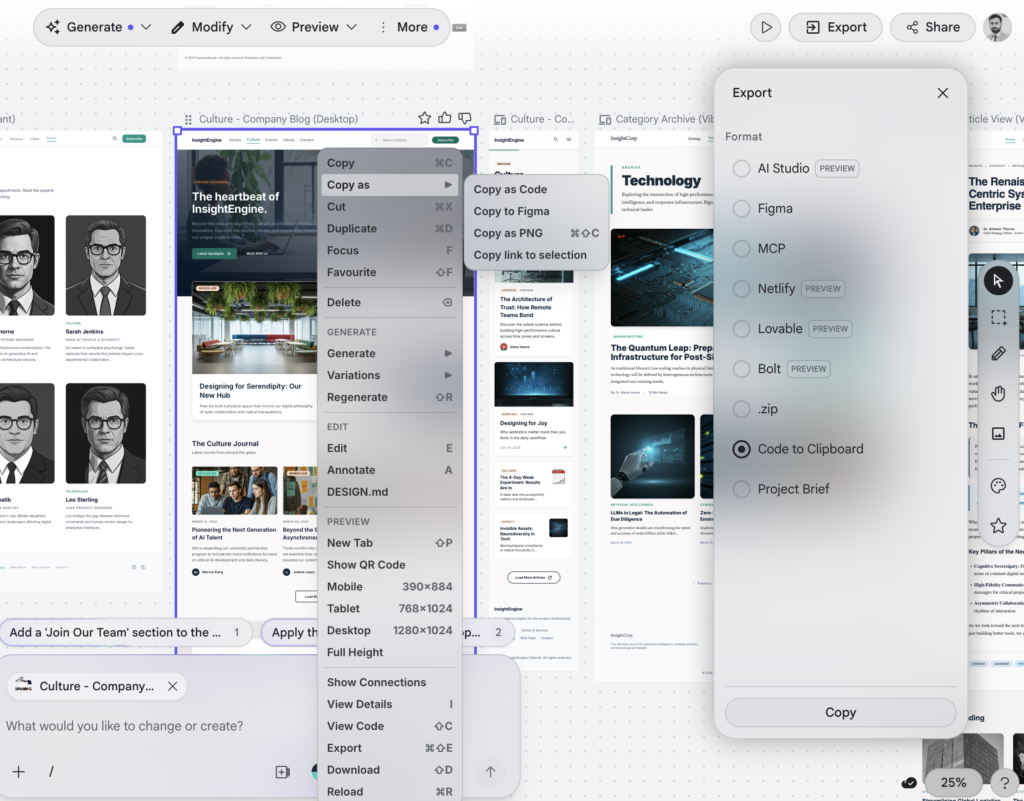
Once the design was refined, the next challenge was the translation into code. Rather than writing every CSS rule manually, I used an AI-powered design-to-code tool to export the UI as clean, responsive HTML.
By choosing a Tailwind CSS output, I ensured that the foundation of the theme was utility-first and performance-oriented. This provided the “skeleton” needed for the WordPress conversion without the overhead or bloat often found in traditional drag-and-drop builders.
Step 3: Architecture and PHP Development with Gemini
With the HTML in hand, it was time to build the WordPress engine. This is where Google Gemini became a core part of the “agentic” workflow.
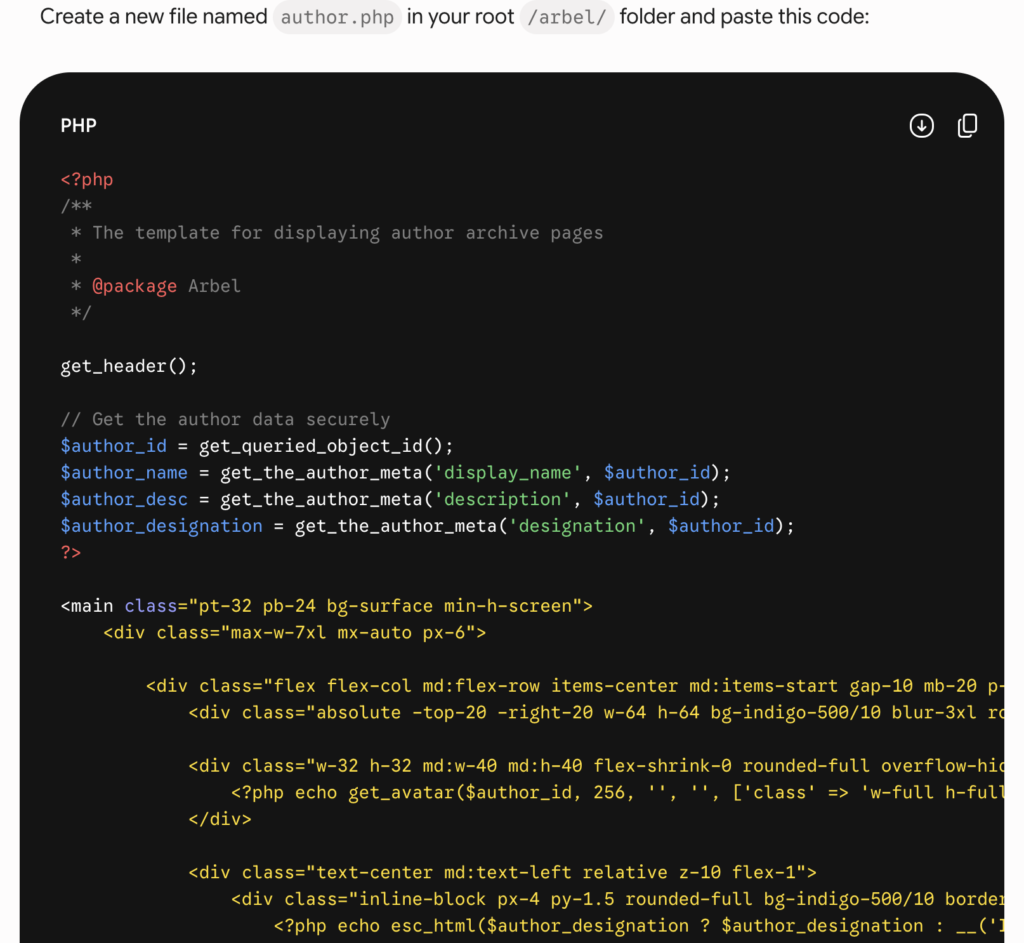
I provided Gemini with the context of the project: creating a lightweight, high-performance WordPress theme. I fed it the HTML code and asked for the necessary PHP templates. For example, we built out author.php to handle author archives securely and stylishly.
A Pro-Tip for Working with AI
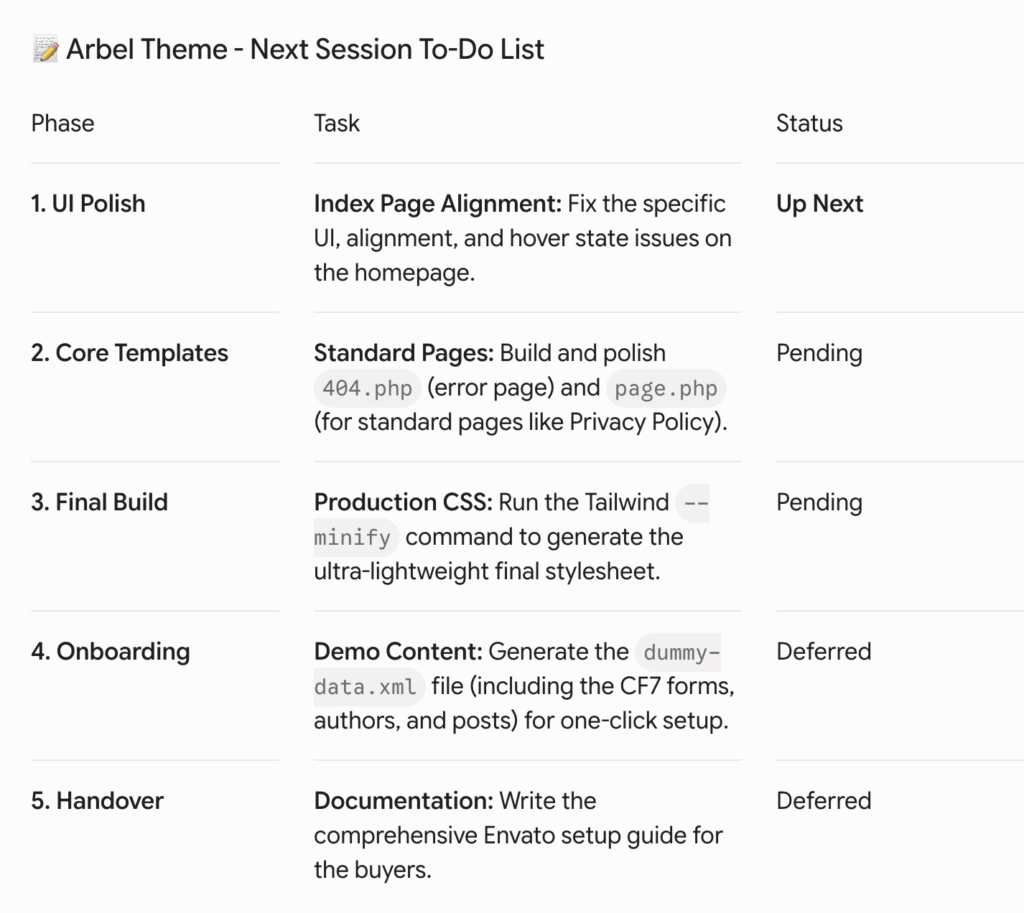
The secret to success here is planning. Never ask an AI to “generate a whole theme” in one click. It will fail. Instead:
- Create a solid file structure plan.
- Develop files one by one (e.g.,
header.php, thenindex.php, thenfunctions.php). - Keep a detailed to-do list to track progress and maintain focus.
The Finishing Touches: Polishing for the Marketplace
The final leg of the journey was a manual polish. AI is a powerful accelerator, but the human eye is still required for the final 10%. I spent the final days of the week focusing on:
- UI Alignment: Fixing hover states and fine-tuning spacing.
- Core Templates: Building out
404.phpand genericpage.phpfiles. - Production Build: Running Tailwind’s minify command to ensure the final stylesheet was as lightweight as possible.
Key Takeaways
- Embrace Agentic AI: Don’t fear the tools; master them to accelerate your delivery.
- Design is Accessible: Prototyping tools like Stitch allow developers to ship professional-looking products without a dedicated design team.
- Performance is King: By using a lean stack (Tailwind + custom PHP), you can achieve 99+ PageSpeed scores that page builders simply can’t touch.
- Plan the Work, Work the Plan: Break your development into small, manageable tasks for the best AI-assisted results.
Final Thoughts
Building the WP Arbel Theme in a week was a testament to how far development tools have come. By combining the right AI agents with a clear technical strategy, anyone can ship high-quality, high-performance products at a speed that was once impossible. The era of the “AI-augmented developer” is here—it’s time to start building.
Frequently Asked Question(s)
Can AI develop a complete WordPress theme on its own?
Not quite. AI serves as a powerful co-pilot. It can generate components, logic, and base styles, but a developer is needed to assemble the files, ensure security standards, and handle the final integration.
Is the Arbel Theme ready for the marketplace?
Yes, the Arbel Theme was developed with high marketplace standards in mind, focusing on clean code, document structure, and performance benchmarks that meet or exceed industry requirements.
Why use Tailwind CSS for WordPress?
Tailwind allows for a utility-first approach where only the CSS you actually use is included in the final build. This results in much smaller file sizes and faster load times compared to traditional CSS frameworks.
What tools were used for the performance benchmarks?
We utilized Google PageSpeed Insights to verify performance, accessibility, best practices, and SEO scores.